Create license SeDiv
Before creating and activating a SeDiv license, the computer must be fully prepared and all hardware drivers must be correctly installed.
This includes the motherboard, graphics card, audio device, Terminal RX/TX interface, communication ports, and drivers for all hardware connected to the system. The monitor driver is normally detected and installed automatically by Windows.
Only the original SeDiv cable should be used when connecting the equipment. After confirming that the system is stable and all required drivers are properly installed, the user may begin the license-generation process.
After activation, the main computer hardware must not be replaced, moved, or changed, as hardware modifications may cause the SeDiv license to become deactivated.
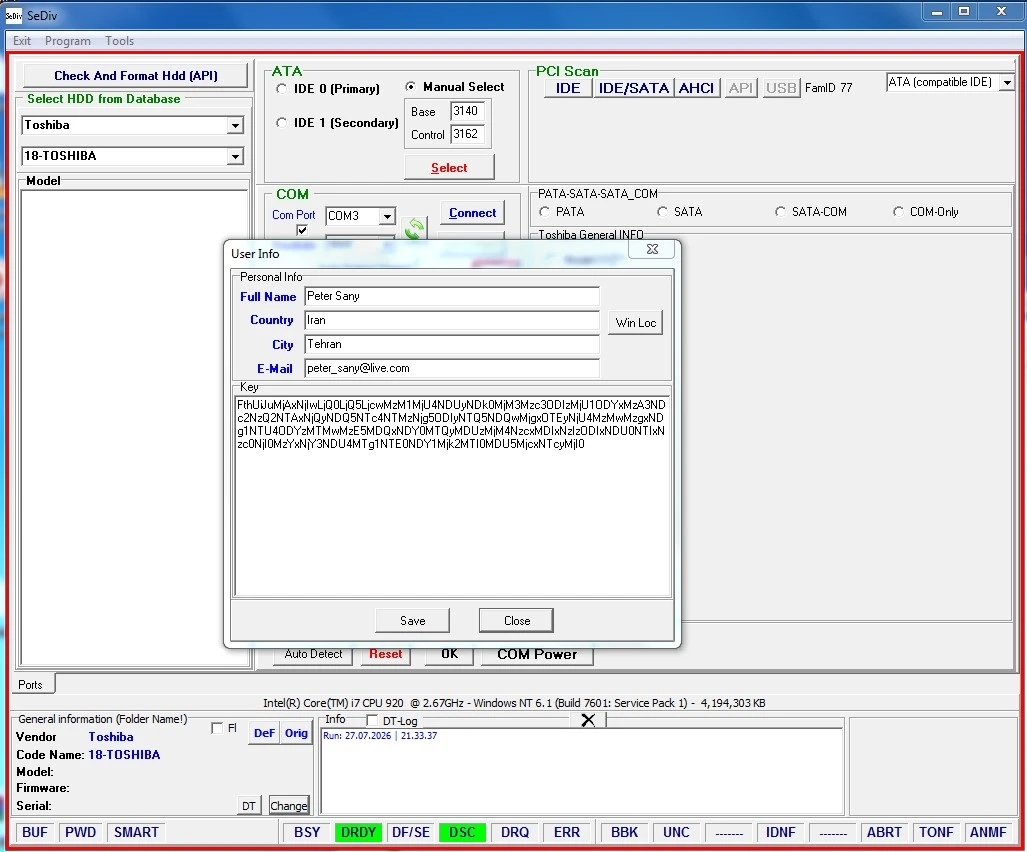
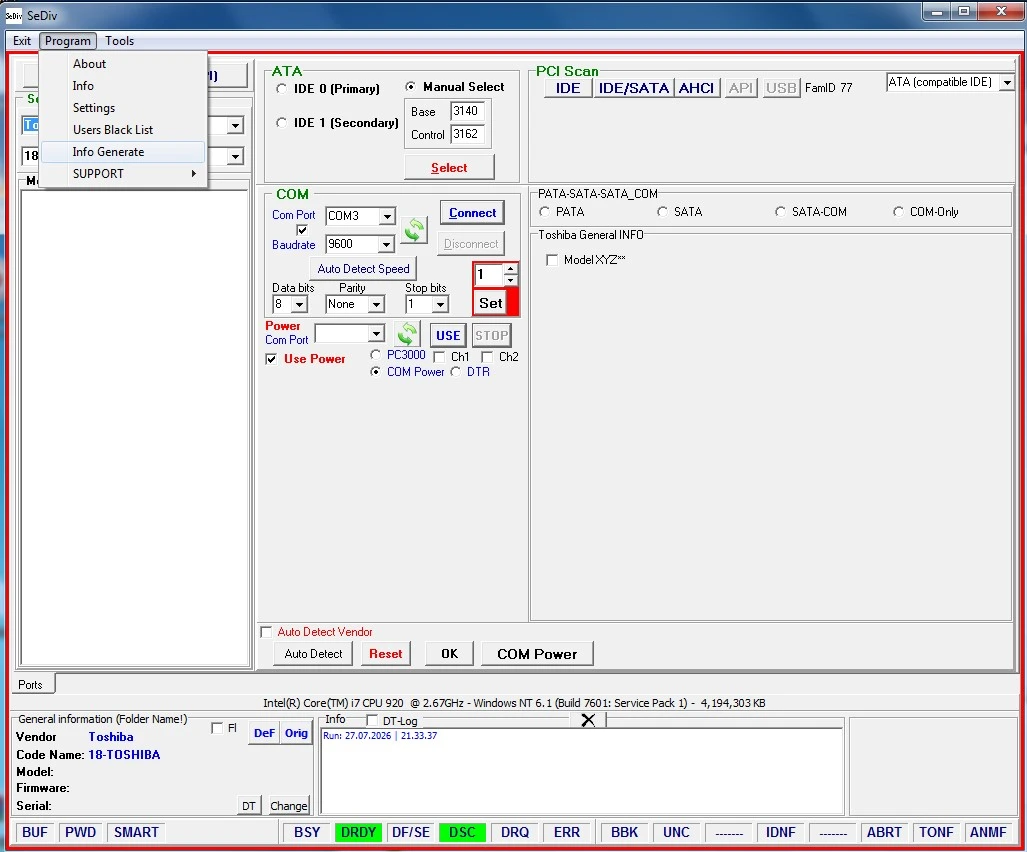
SeDiv License Activation Procedure
To ensure a successful and stable SeDiv activation, the activation computer must be fully prepared before the license files are created. The SeDiv license is linked to the software and hardware configuration of the computer; therefore, all required drivers and hardware settings must be finalized in advance.
1. Required Customer Information
After payment has been confirmed, the customer must provide the following information:
First name and last name
A valid and accessible email address
Purchase or order information, when requested
Important: Gmail addresses are currently not accepted for the SeDiv activation process. Please provide a Hotmail, Outlook, Yahoo, or another valid email address.
2. Contact Information
Customers may send their information and activation files through the following official channels:
WhatsApp & Telegram:
+98 912 348 6391
Teams:
peter_sany71
SeDiv Activation Email:
sedivlic@list.ru
3. Requirements Before Creating the License
Before generating the SeDiv license file, the customer must make sure that:
All motherboard and chipset drivers are installed.
The graphics card and audio drivers are installed.
Terminal RX/TX and communication drivers are installed correctly.
All connected hardware is recognized by Windows.
The monitor is correctly detected by Windows.
Device Manager does not show unknown devices or driver errors.
All required hardware is connected to the computer.
Only the original SeDiv cable is used.
The final hardware configuration has been completed.
The license should only be created after the computer is fully configured and no further hardware or driver changes are required.
4. License Activation Process
After preparing the computer, the customer can begin the license-generation process:
Create the required license.lic file using the SeDiv licensing tool.
Send the license.lic file to:
sedivlic@list.ru
Include the customer’s full name and valid email address in the message.
After the license.ini file is generated, send it to the activation department as instructed.
The customer must then wait for the activated license file or the required DLL file.
The received activation files must be placed in the correct SeDiv installation directory.
Do not modify the computer configuration while the activation request is being processed.
Important License Protection Notice
After SeDiv has been successfully activated, the customer must not make changes to the drivers or hardware configuration of the activation computer.
The following actions may change the system identification and disable the SeDiv license:
Installing new hardware drivers
Replacing existing hardware
Removing installed hardware
Moving hardware components to different ports or slots
Replacing the motherboard
Replacing the processor
Replacing or changing the Windows system drive
Reinstalling Windows
Making major changes to the operating system configuration
Any hardware or driver modification should be discussed with HDD LAND support before it is performed.
Important: Unauthorized hardware, driver, or Windows changes may cause the SeDiv software to become deactivated.
Create a Full Windows Backup After Activation
Immediately after successful activation, the customer must create a complete image backup of the Windows system drive.
Recommended backup software includes:
Acronis
Norton Ghost
Other reliable full-disk imaging software
The system image should include:
Windows
Installed drivers
SeDiv software
SeDiv activation files
License files
Required DLL files
System settings
The backup should be stored on a separate external drive or another safe storage device.
If Windows becomes corrupted or fails for any reason, the customer can restore the exact activated Windows environment from the system image. Restoring the original image is safer than performing a new Windows installation, which may cause the SeDiv license to become invalid.
Final Recommendation
Complete all driver installations, hardware connections, Windows settings, and system tests before creating the SeDiv license. After activation, keep the computer configuration unchanged and create a full system image immediately.
HDD LAND — Official SeDiv Sales and Technical Support Representative